
The BASUG Admission Portal 2025 is the official online platform where students of Bauchi State University, also known as Sa’adu Zungur University (SAZU), can check their admission status and accept their admission offer. This guide will show you every step clearly so you can easily check if your name is on the admission list, accept the offer, print your admission letter, and complete your registration. Everything here is explained in simple English, so even a first-time user can follow it without stress.
What Is BASUG and Its Admission Portal?
BASUG stands for Bauchi State University, Gadau, which was recently renamed Sa’adu Zungur University. The BASUG Admission Portal is an online system where all admission activities take place. Through this portal, new students can check their admission lists, accept or reject admission offers, and download important documents needed for registration.
The portal makes admission easy, fast, and transparent. You don’t have to travel to the school to check if you’ve been admitted; you can do everything on your phone or computer.
Would you love to check?
- AE-FUNAI Admission Status 2025/2026
- UNILESA Admission Portal 2025
- Bells University Admission Portal 2025
Why You Must Use the BASUG Admission Portal
The BASUG Admission Portal is the most important platform for all new students. You need it to:
-
Check if your name is on the admission list.
-
Accept or reject your admission offer.
-
Print your admission letter.
-
Track screening and registration updates.
Without completing these steps on the portal, your admission cannot be confirmed. That’s why it’s very important to visit the portal and follow the right process.
How to Check the BASUG Admission List for 2025
Follow these simple steps to check your admission status on the BASUG portal:
-
Visit the official BASUG website.
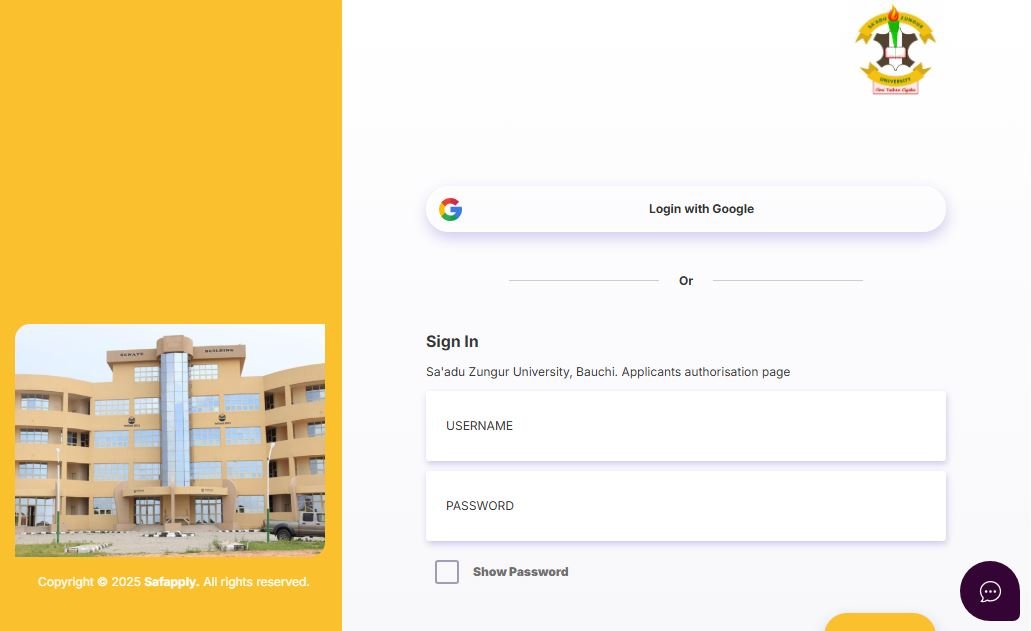
Open your browser and go to the official university website (www.basug.edu.ng). or via the new website of BASUG @ https://applicant.safapply.com/sazu/login -
Find the Admission section.
On the homepage, look for the tab or link labeled “Admission List 2025” or “Admission Status.” -
Select your batch.
BASUG usually releases the admission list in batches — first, second, third, and sometimes supplementary lists. -
Open the list.
Click on the list to open it. You can either view it online or download it as a PDF. -
Search for your name.
Press “Ctrl + F” (or use the search box) and type your name or application number to find it quickly. -
Confirm your details.
Once you find your name, check your department, course, and admission type to make sure everything is correct.
If your name is not on the first list, don’t worry. More lists are often released, so keep checking regularly.
How to Accept Your Admission Offer through SAZU Admission Portal and JAMB CAPS
Once you confirm that you have been admitted, the next step is to accept your offer. There are two ways to do this: through JAMB CAPS and through the BASUG Admission Portal itself.
Step 1: Accept Admission on JAMB CAPS
If you applied through JAMB, you must first log in to your JAMB profile.
-
Go to the JAMB website and open your dashboard.
-
Click on “Check Admission Status.”
-
Select your exam year and institution.
-
When your admission appears, click “Accept Offer.”
If you fail to accept your admission on JAMB CAPS, the university may not recognize your admission.
Step 2: Accept Admission on BASUG Portal
After confirming on JAMB CAPS, you should also log in to the BASUG Admission Portal.
-
Enter your username and password.
-
Find the option that says “Accept Admission.”
-
Click on it and confirm.
-
You may be asked to pay an acceptance fee. Make sure you complete this payment to keep your admission secure.
How to Print Your Admission Letter
Once you have accepted your admission, you should print your admission letter. This letter is proof that you are now a student of the university and will be needed for screening and registration.
Here’s how to print it:
-
Log in to your account on the BASUG portal.
-
Click on “Admission Letter.”
-
Download the PDF file.
-
Print it out and keep a copy safe.
You will need this document when you go for physical verification.
How to Complete Physical Screening and Verification
After printing your admission letter, the next step is physical screening. This process helps the university confirm that all your documents are genuine.
During screening, make sure you take along the following items:
-
Your original and photocopy of SSCE (WAEC, NECO, or equivalent).
-
JAMB result slip.
-
Admission letter.
-
Passport photographs.
-
Birth certificate or declaration of age.
-
Local government or state of origin certificate.
-
Payment receipts for acceptance and screening fees.
Make sure all documents are neatly arranged in a file. Arrive early on your screening day to avoid delays.
What to Do If You Are Not Admitted Yet
If you check the BASUG Admission Portal and your name is not yet on the list, don’t panic. There are still chances you may be offered admission later.
Here are helpful tips:
-
Keep checking the portal every few days.
-
Make sure your O’Level results are uploaded on the JAMB website.
-
Confirm that you selected BASUG as your first choice.
-
Watch for updates from the university about supplementary lists.
Sometimes, the university reopens the admission portal for candidates who missed earlier opportunities.
Common Mistakes to Avoid
When using the BASUG Admission Portal, avoid these common mistakes that may cost you your admission:
-
Entering the wrong JAMB registration number or password.
-
Failing to accept the admission before the deadline.
-
Ignoring the screening date.
-
Paying fees to fake websites or individuals.
-
Forgetting to print your admission letter.
Always double-check every step and use only official school links.
Summary of Steps to Follow
| Step | What To Do | Description |
|---|---|---|
| 1 | Visit BASUG Portal | Open the official site |
| 2 | Check Admission List | Look for your name |
| 3 | Accept Admission | Use JAMB CAPS and school portal |
| 4 | Print Admission Letter | Keep it safe |
| 5 | Attend Screening | Verify your documents |
| 6 | Register and Pay Fees | Start your academic journey |
Other portal guides:
- Kogi State Polytechnic Admission Portal 2025
- Kaduna Polytechnic Admission Portal 2025
- FUDMA Admission Portal 2025
Conclusion
The BASUG Admission Portal 2025 is your gateway to becoming a student of Bauchi State University, also known as Sa’adu Zungur University. By following the simple steps in this guide, you can easily check the admission list, accept your offer, print your admission letter, and complete your registration without confusion.
Remember, always use the official portal, follow deadlines carefully, and keep copies of all your documents. Once you complete every step correctly, you can proudly call yourself a BASUG student and begin your exciting university journey. Congratulations in advance, and best wishes as you take this big step toward your future!

Pingback: Kaduna Polytechnic Admission Portal 2025 – kadpolyodfel.ng
Pingback: Ekiti State University 2025 – Admission & Cut Off Info
Pingback: (WITHOUT JAMB) Universities in Kebbi State Offering Admission Without JAMB
Pingback: NACABS Polytechnic School Fees 2025/2026