
If you are looking for a simple and complete guide on how to use the Bells University Admission Portal 2025, this article will help you. The Bells University Admission Portal is the official website where all admission activities take place. It allows new and returning students to check admission status, apply for admission, pay acceptance fees, and manage their profiles with ease.
In this guide, you will learn step-by-step how to login to the Bells University Admission Portal 2025, how to check your admission status online, and what to do if you have any login issues. Everything here is explained in plain English, so even a beginner can understand it clearly.
About Bells University of Technology
Bells University of Technology, often called Bells Tech, is one of the leading private universities in Nigeria. It is located in Ota, Ogun State, and is known for its excellent teaching and learning environment. The university offers various undergraduate and postgraduate programs in science, engineering, management, and social sciences.
Every year, thousands of students apply for admission through the Bells University Admission Portal. The portal makes it easier for applicants to submit forms, track their progress, and confirm their admission status without visiting the school physically.
What Is the Bells University Admission Portal 2025?
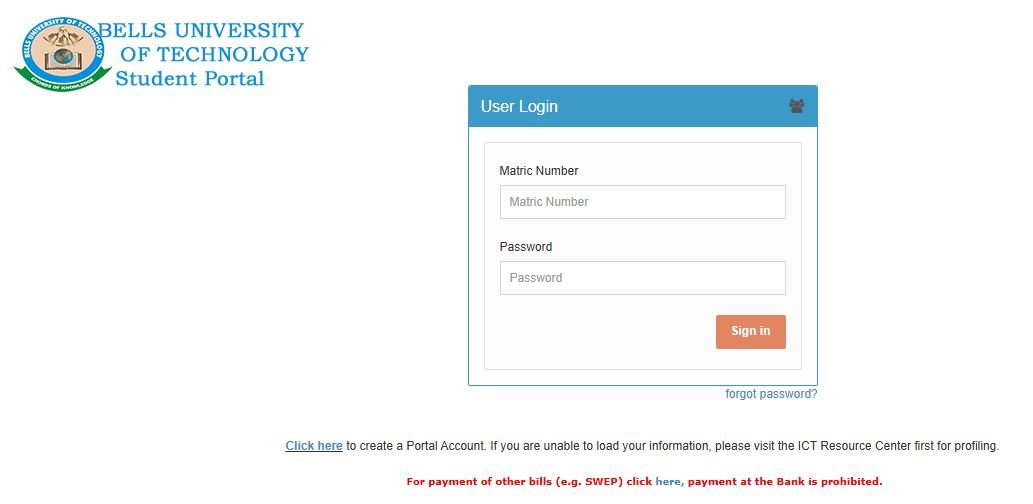
The Bells University Admission Portal 2025 is an online platform created to help students manage everything about their admission. It is available 24/7 and can be accessed using a phone or computer with an internet connection.
Through the portal, you can:
-
Apply for undergraduate or postgraduate admission.
-
Check your Bells University admission status.
-
Pay your acceptance and school fees.
-
Print admission letters and receipts.
-
Update personal information.
The portal is simple to use and saves time for students who live far from the campus.
Would you love to check?
How to Access Bells University Admission Portal 2025
To get started, follow these easy steps to access the Bells University Admission Portal:
-
Open your browser – You can use Chrome, Safari, or Firefox.
-
Visit the official portal link – Go to https://portal.bellsuniversity.edu.ng.
-
Click on “Admission Portal” – This option is usually on the homepage.
-
Choose your category – Select “Undergraduate,” “Postgraduate,” or “JUPEB” depending on your program.
-
Enter your login details – Type in your registered email address or application number and password.
-
Click “Login” – After logging in, your dashboard will appear.
That’s it! You are now inside the Bells University Admission Portal 2025.
How to Check Bells University Admission Status Online
Once you have logged into the portal, you can check your admission status easily. Follow these steps carefully:
-
Visit the official admission portal using this link: https://portal.bellsuniversity.edu.ng.
-
Log in using your application number and password.
-
On your dashboard, click on “Check Admission Status”.
-
Wait for the page to load. If you have been offered admission, your status will show “Congratulations! You have been admitted.”
-
If you are not yet admitted, don’t panic. The portal is updated regularly, so keep checking back.
When you see that you have been admitted, make sure to accept your admission and print your admission letter immediately.
How to Recover Your Bells University Portal Password
Sometimes, students forget their passwords and cannot access the portal. If this happens, follow these steps:
-
Visit the login page of the Bells University Admission Portal.
-
Click on the “Forgot Password” link.
-
Enter the email address you used during registration.
-
A password reset link will be sent to your email.
-
Open your email and click the link to create a new password.
Make sure to choose a password you can easily remember, and do not share it with anyone to keep your account safe.
How to Accept Your Bells University Admission Offer
Once your admission status shows that you have been admitted, the next step is to accept your offer. Here’s how:
-
Log into the Bells University Admission Portal 2025.
-
Click on “Accept Admission” on your dashboard.
-
Proceed to pay your acceptance fee using any of the available payment options (ATM card, bank transfer, or online payment gateway).
-
Print your receipt and admission letter after successful payment.
-
Follow the next instructions given on your dashboard to complete registration.
Completing these steps early shows that you have accepted your offer officially.
Important Things to Note About Bells University Admission Portal 2025
Here are a few important tips to keep in mind:
-
Always use a valid and working email address during registration.
-
Do not share your login details with anyone.
-
Keep checking your admission status often, especially during the admission season.
-
Ensure you pay your fees on time to avoid losing your admission.
-
If you face any problem, contact the school through the official helpdesk or visit the ICT center on campus.
These small actions will help you stay organized and avoid mistakes during your admission process.
Why the Bells University Admission Portal Is Important
The portal is a very important tool for both new and returning students. It helps to reduce stress, save time, and prevent errors. Instead of visiting the school for every issue, students can perform most actions online from checking results to paying school fees.
It also helps the university to keep records safe and make admission processing faster. With this system, both students and school staff can manage academic information smoothly and securely.
Common Problems Students Face and How to Solve Them
While using the Bells University Admission Portal, some students may face issues such as:
-
Wrong login details: Make sure you are entering the correct email and password.
-
Slow network connection: Try using a stable internet connection or change your browser.
-
Payment not reflecting: Wait for a few hours or contact the school’s ICT support for help.
-
Website not loading: Clear your browser cache or try again later.
If any of these problems continue, always reach out to the Bells University ICT support team for assistance.
Other portal guides:
- AE-FUNAI Admission Status 2025/2026
- Kogi State Polytechnic Admission Portal 2025
- Kaduna Polytechnic Admission Portal 2025
Conclusion
The Bells University Admission Portal 2025 is a simple and reliable platform that helps students manage their admission process without stress. From checking your admission status to paying acceptance fees, everything can be done online.
Always use the official portal link and follow the correct steps outlined in this article. This will help you avoid fake websites and unnecessary mistakes.
If you follow this practical guide on how to login and check admission status online, you will find it very easy to handle your Bells University admission smoothly.
Quick Summary
-
Visit: https://portal.bellsuniversity.edu.ng
-
Login with your email or application number
-
Check admission status
-
Accept your offer
-
Pay your acceptance fee
-
Print your admission letter

Pingback: AE-FUNAI Admission Status 2025 – FUNAI Portal / JAMB CAPS
Pingback: Ekiti State University 2025 – Admission & Cut Off Info
Pingback: BAYERO University Latest News on Admission 2026/2027 (Best Update)