
GSU Admission Letter 2025/2026 academic session has officially been released by the management of Gombe State University (GSU), and all newly admitted candidates are required to print theirs online. If you have been offered provisional admission, this letter is one of the most important documents you’ll need, as it serves as proof of admission and will be required during the screening and registration process.
In this article, we will guide you through the process of printing your admission letter from the GSU portal, including the steps to accept your admission on JAMB CAPS, pay your acceptance fee, and troubleshoot any issues. Since the screening exercise is closing today, it is important that you complete these steps immediately.
Why You Must Print the GSU Admission Letter
The GSU admission letter is more than just a document. It is an official proof of your admission and carries essential information such as:
-
Your full name and JAMB registration number.
-
The faculty and department where you have been admitted.
-
The course of study and academic session.
-
Instructions for registration and screening.
Without this letter, you will not be allowed to continue with the registration process. It is one of the first documents requested during physical screening at the university.
Would you love to check this?
Step-by-Step Guide to Print GSU Admission Letter 2025/2026
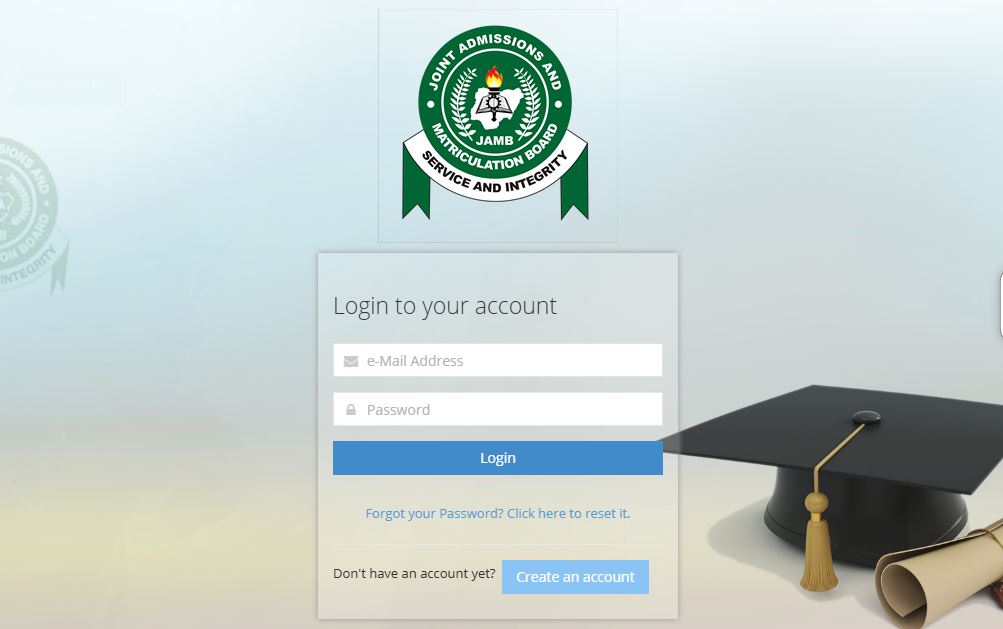
Step 1: Confirm Admission on JAMB CAPS
Before you can print your admission letter on the GSU portal, you must first confirm and accept your admission on the JAMB Central Admission Processing System (CAPS).
-
Visit JAMB CAPS Portal.
-
Log in with your email and password.
-
Click on Check Admission Status.
-
If you see Congratulations, you have been offered admission, click Accept Admission.
If you fail to accept your admission on CAPS, the university may not recognize your admission, and you will not be able to proceed to printing.
Step 2: Log in to the GSU Admission Portal
After accepting your admission on CAPS, proceed to the GSU portal to access your admission letter.
-
Visit the official GSU portal: www.gsu.edu.ng > Registration > Undergraduate.
-
Enter your JAMB Registration Number as your username.
-
Use the default password provided by the school (usually updated yearly, e.g., gsu2024 for recent sessions).
-
Click “Login” to access your dashboard.
If you cannot log in, use the Forgot Password option or contact the ICT department for assistance.
Step 3: Pay the Acceptance Fee
Before printing the admission letter, you are required to pay an acceptance fee.
-
On your portal dashboard, locate Pay Acceptance Fee.
-
Generate a Remita Retrieval Reference (RRR) from the system.
-
Proceed to make payment online (via card, bank transfer, USSD) or at any commercial bank using the generated RRR.
-
Return to the portal and confirm your payment.
Make sure you print your payment receipt as it will be requested during screening.
Step 4: Print the Admission Letter
Once your acceptance fee has been successfully paid and confirmed:
-
Go back to your portal dashboard.
-
Click on Print Admission Letter.
-
Download the PDF copy of your admission letter.
-
Print at least 3–5 copies in colour or black and white (depending on your preference).
Documents Required Along with the GSU Admission Letter
During screening, you will be asked to present your admission letter along with other documents. Prepare the following:
-
GSU Admission Letter (printed from the portal).
-
JAMB Admission Letter (printed from JAMB e-facility).
-
Original and photocopies of O’Level results (WAEC, NECO, or equivalent).
-
Birth certificate or declaration of age.
-
JAMB result slip.
-
Acceptance fee payment receipt.
-
Recent passport photographs.
-
Medical fitness certificate (as directed by the university).
Having these documents ready will make your registration process smooth.
Troubleshooting Common Issues
-
Admission not showing on portal: Ensure you have accepted the admission on JAMB CAPS and check back after a few hours.
-
Invalid login details: Confirm you are using your JAMB number as the username and the correct default password.
-
Payment not reflecting: If you have paid but it is not showing on the portal, wait a few hours. If the issue persists, contact the ICT or Bursary unit with your RRR and payment receipt.
-
Admission letter not printing: Ensure you have paid the acceptance fee. The print option only becomes active after payment confirmation.
Important Deadlines
The GSU management has announced that screening for admitted students closes today. This means all newly admitted candidates must:
-
Accept admission on CAPS.
-
Pay the acceptance fee.
-
Print their admission letter.
-
Gather required documents.
Failure to do so before the deadline may result in forfeiture of your admission.
Did you check this?
Conclusion
Printing your GSU Admission Letter 2025/2026 online is simple if you follow the steps carefully: accept your admission on JAMB CAPS, log in to the GSU portal, pay the acceptance fee, and print your letter. Since the screening deadline is today, act fast to avoid losing your admission slot.
For further inquiries, you can contact the ICT department of Gombe State University through the contact information available on the official portal.
Congratulations once again on your admission, and best wishes as you begin your journey at GSU.

Pingback: GSU Acceptance Fee 2025/2026 | Check Here (Just Updated)